DBeaver / PostgreSQL: "Error: database already exists" Workaround
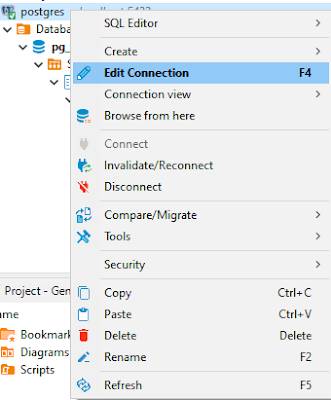
Recently, I encountered an error, saying: "Error: database already exists" This error came up when I thought the database I was trying to search was missing. So, I tried to create another new database with the same name. It's quite strange as on the Database Navigator pane at Dbeaver, the database remains hidden somewhere and the annoying this is we cannot create a new one. So, as always, I looked up Stackoverflow and find the workaround was rather simple. Right-click on the connection and fire Edit Connection Head to the PostgreSQL tab and make sure to tick the Show all databases on Click OK Problem solved! Credit to: oluwasegun for his response on the following StackOverflow thread: https://stackoverflow.com/questions/61979762/dbeaver-postgresql-error-database-already-exists-but-i-cant-find-it